Capability maturity mapping
Use this playbook when you want a shared capability map that shows where the organization is underfit or overfit, not only which capabilities exist.
What POPIT is
POPIT is a simple way to look at a business capability from four angles instead of only processes or systems. It helps you take a more complete view when you assess fitness or plan change:
- People — skills, roles, capacity, and how well the human setup fits the capability
- Process — how work is organized, followed, and improved around the capability
- Technology — applications and technical platforms that support the capability
- Information — data and information needed to run and decide within the capability
Assessing each angle separately makes gaps easier to spot. A capability can look strong in technology while still being underfit because people or process are weak. Caplo stores these four assessments as built-in Capability properties.
Caplo's overall fitness levels — Unfit, Underfit, Fit, and Overfit — follow the capability fitness assessment approach described by Jonas Van Riel in Leading with Capabilities (capmap.org).
Assess capabilities
The same default Capability properties drive both diagram display and landscape coloring. Assess them in any of these ways:
- On a diagram — turn on PACE layering and choose Capability fitness (POPIT), listed under As-is / to-be. Capability shapes then show the POPIT assessment. Set People, Process, Technology, and Information on the shape. Soft fitness coloring appears once all four dimensions are set. See Capability maturity on the canvas.
- In the right panel — open a Capability in the repository or on the canvas and edit the four built-in maturity properties there.
- Through MCP — use Caplo's hosted MCP connection from a client such as Cursor to update Capability properties in bulk or from another workflow. See MCP connections.
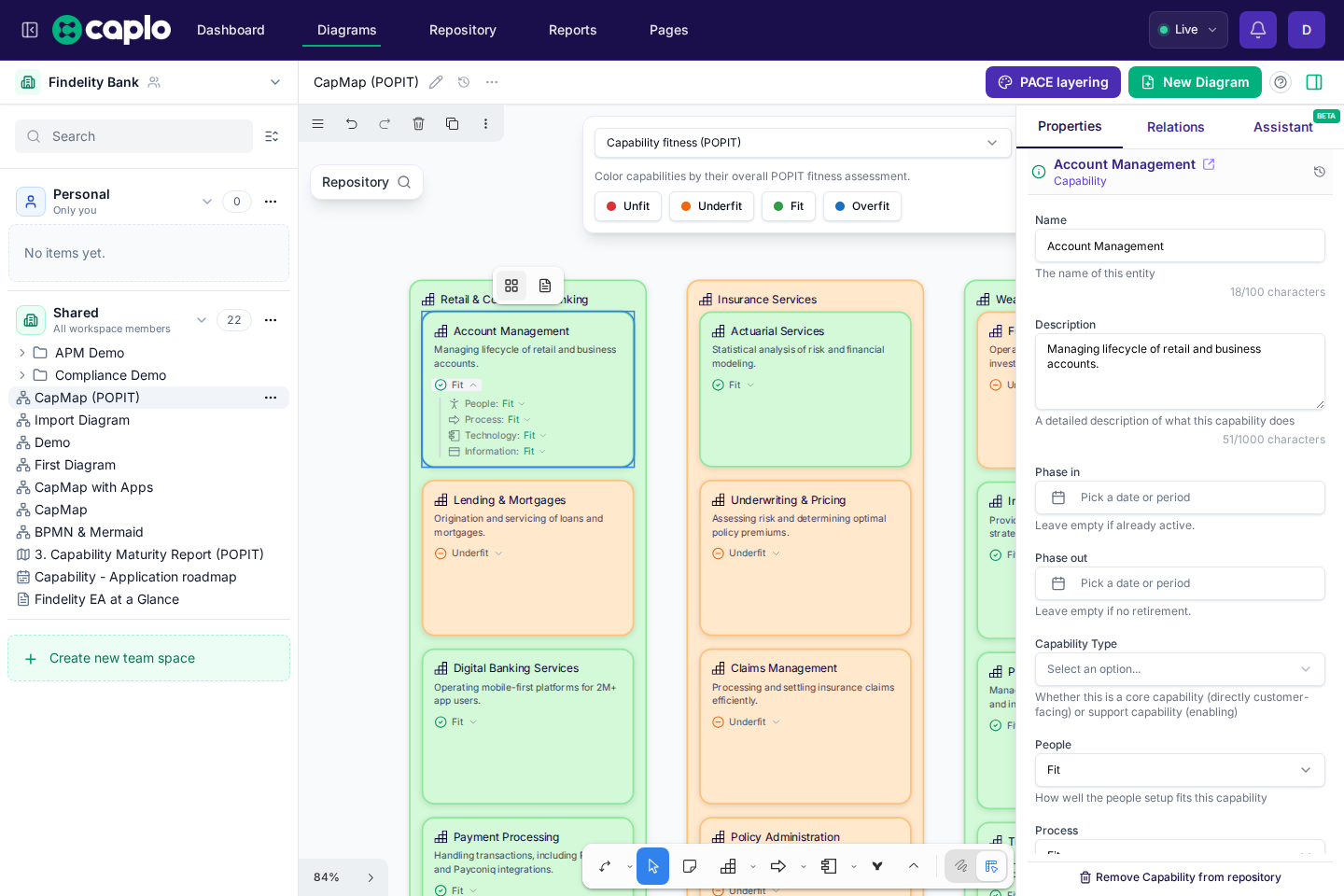
Overall fitness is calculated only after all four dimensions are set.
Build the landscape report
- Create or reuse Capability entities for the scope you are reviewing. Caplo already includes the People, Process, Technology, and Information select fields on Capabilities.
- Assess fitness for each capability:
- Workshop style: place capabilities on a diagram, turn on Capability fitness (POPIT) in PACE layering, and score the four dimensions while discussing.
- Repository style: edit the same properties from the right panel or entity form.
- Assisted style: update assessments through an MCP-connected AI client when you already have scores from interviews or spreadsheets.
- Create a landscape report with Capability as a root or nested layer. Enable Auto nest children if you want child capabilities under parents without adding every level as a separate layer.
- Open PACE layering on the capability layer and choose Capability fitness (POPIT). Optionally enable Show POPIT so the indicator stays visible instead of appearing only on hover. You can also add a Capability fitness (POPIT) metadata filter, or click a fitness legend option to filter the map to Unfit, Underfit, Fit, or Overfit. Selected fitness options stay pressed; click again to remove a value, or click additional options to keep more than one. If more than one layer uses fitness coloring, the shared legend turns the same value on or off for all of them. Each option shows how many current capabilities have that fitness, including options that are not selected.
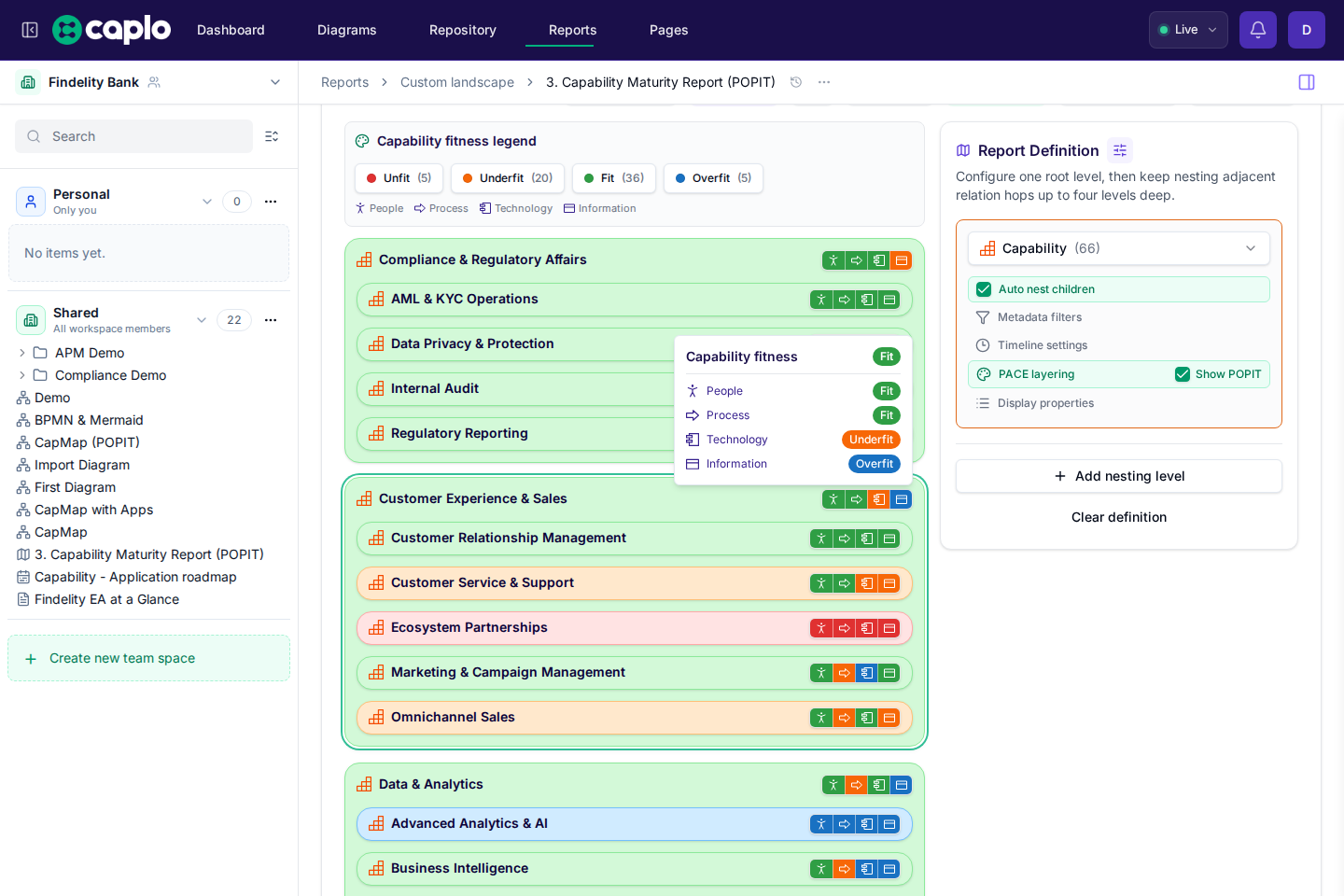
- Use the fitness colors and POPIT indicator in the conversation to discuss where to invest, simplify, or improve.
- Save the report as a shared view for portfolio or strategy follow-up.